
Organizer guide · tournaments
Pickleball tournament management
A pickleball tournament is a chain of connected jobs. Get one wrong and the rest of the day runs late. This is the full workflow, stage by stage, and what each stage needs from you.
Updated By SkorX Team3 min read
What is pickleball tournament management?
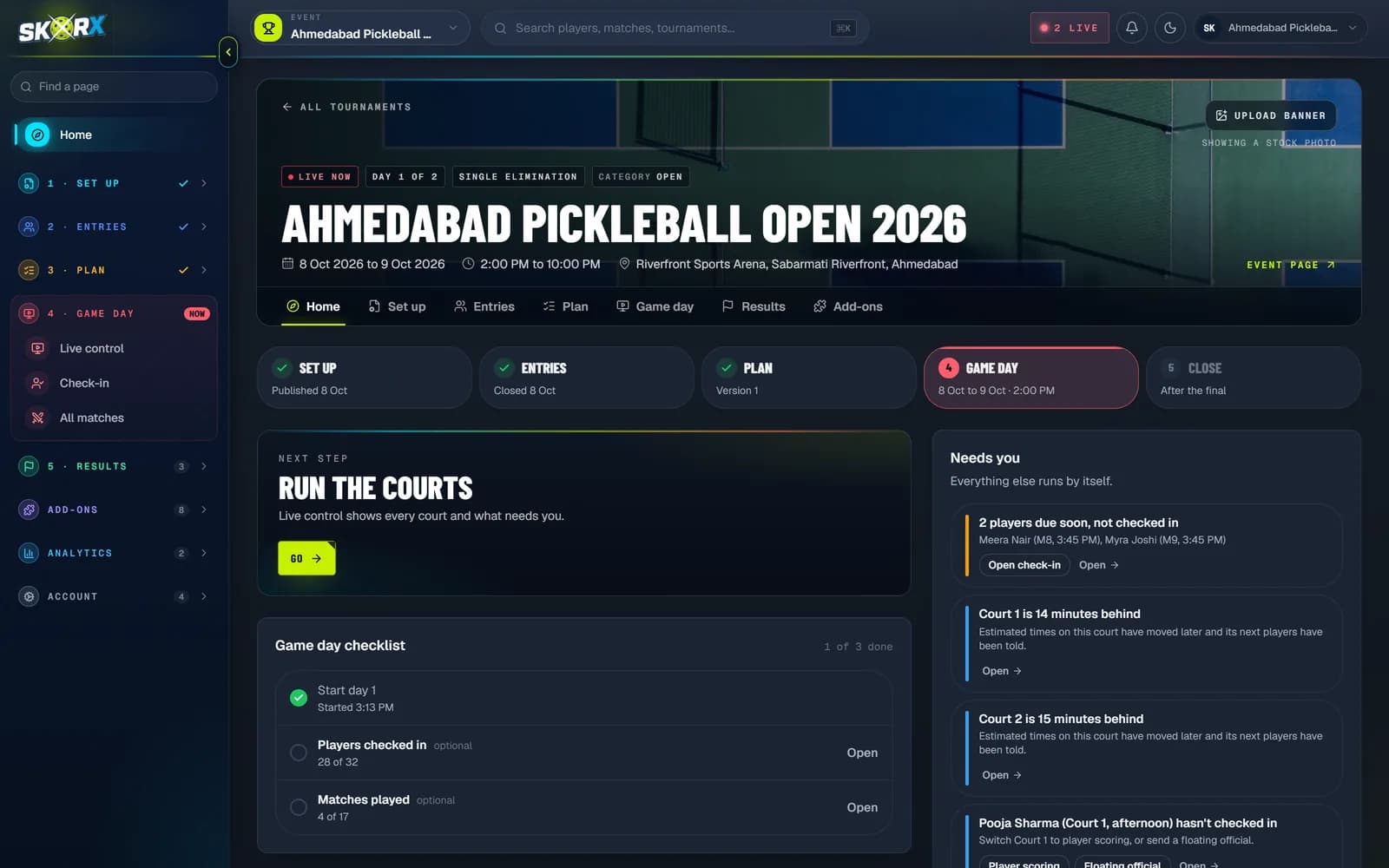
Pickleball tournament management is the work of planning and running a tournament: setting up divisions and a format, taking registrations and entry fees, making draws or brackets, scheduling matches across courts, checking players in, assigning referees, recording scores, and publishing standings and results. Tournament management software connects these steps so a score entered on court updates brackets, schedules and standings automatically.
At a glance
- Main stages
- Plan, register, draw, schedule, check in, score, publish results
- Key decisions
- Divisions, format, game length, court time
- Biggest risk
- Running late because demand exceeds court time
- Typical tools
- Spreadsheets and paper, or tournament management software
- SkorX product
- SkorX Tournament Management System (SkorX TMS)
The stages of a pickleball tournament
| Stage | What you do | Depends on |
|---|---|---|
| 1. Plan | Pick divisions, formats, game length and dates | Courts and hours available |
| 2. Register | Open entries, take fees, cap divisions | Divisions and capacity |
| 3. Draw | Seed entrants and build groups or brackets | Closed registrations |
| 4. Schedule | Give every match a court and a start time | The draw and court time |
| 5. Check in | Confirm who has arrived before matches are called | The schedule |
| 6. Score | Referees or players record every match | Called matches |
| 7. Results | Standings, advancement, finals and prizes | Every score |
Planning: divisions, formats and court time
Start from the courts and hours you have, not from the number of players you hope to attract. Every division needs a format, and every format needs a known number of matches. Multiply matches by minutes per match and compare it with your court-hours. The tournament formats guide shows how many matches each format needs.
Registration and entry fees
Open registration with a clear closing date, a capacity for each division and the rules players need before they enter: format, game length, skill level and partner requirements for doubles. Close entries early enough to make the draw and publish a schedule before the event.
Draws and brackets
Once entries close, seed the strongest teams so they meet late, then build groups or brackets. Byes go to the top seeds when a bracket is not a full power of two. Read pickleball tournament brackets and seeding for the details.
Scheduling across courts
A schedule assigns every match a court and a start time, protects rest between matches and never puts one player on two courts at once. Knockout matches wait for the matches that feed them. See how to build a pickleball tournament schedule.
Match day: check-in, referees and live scoring
On the day, the desk checks players in, calls matches to free courts and chases anyone missing. Referees or players score each match, and every result has to reach the brackets and standings quickly so the next round can be called. Live pickleball scoring keeps players and spectators informed without crowding the desk.
Standings and results
Group stages need clear standings and published tie-breakers. Knockouts need winners advanced correctly. Results should stay online after the event so players can find them. The pickleball standings guide explains how ties are broken.
Spreadsheets or tournament software?
A single division on two courts can run on paper. Once you have several divisions, more courts or an audience following along, the jobs above start to depend on each other in ways a spreadsheet cannot track. That is what tournament management software is for.
A tournament organizer's workflow
Count your court-hours
Courts multiplied by hours of play, minus a buffer for delays.
Choose divisions and formats
Pick formats whose match count fits your court-hours.
Open registration
Set capacity, fees, closing date and rules for each division.
Make the draw
Seed entrants and build groups or brackets once entries close.
Publish the schedule
Assign courts and times, then share it with players.
Run match day
Check in, call matches, score live and advance winners.
Publish results
Final standings, winners and a record that stays online.
Common tournament management mistakes
- Taking more entries than your court time can handle.
- Publishing a draw without the tie-break rules.
- Scheduling a player in two divisions at the same time.
- Leaving no buffer at the end of a session.
- Relying on one person to re-type every score into a spreadsheet.
Frequently asked questions
How long does it take to plan a pickleball tournament?
Most local tournaments need four to eight weeks: time to book courts, open and close registration, make the draw and publish a schedule.
How many courts do I need for a pickleball tournament?
Work backwards from matches: total matches multiplied by minutes per match, divided by the hours available. Keep planned use below about 85 percent of court time.
What software is used to manage pickleball tournaments?
Organizers use tournament management software such as SkorX TMS to handle registration, draws, scheduling, check-in, referee scoring, live scores and standings in one system.
What is the best format for a pickleball tournament?
For mid-sized divisions, pool play into a knockout is the most common choice because it guarantees several matches and still produces a clear winner.