
Organizer guide · scheduling
Pickleball tournament scheduling
A good schedule keeps every court busy, gives every player enough rest and leaves room for the unexpected. This is how to build one that holds up on the day.
Updated By SkorX Team3 min read
How do you create a pickleball tournament schedule?
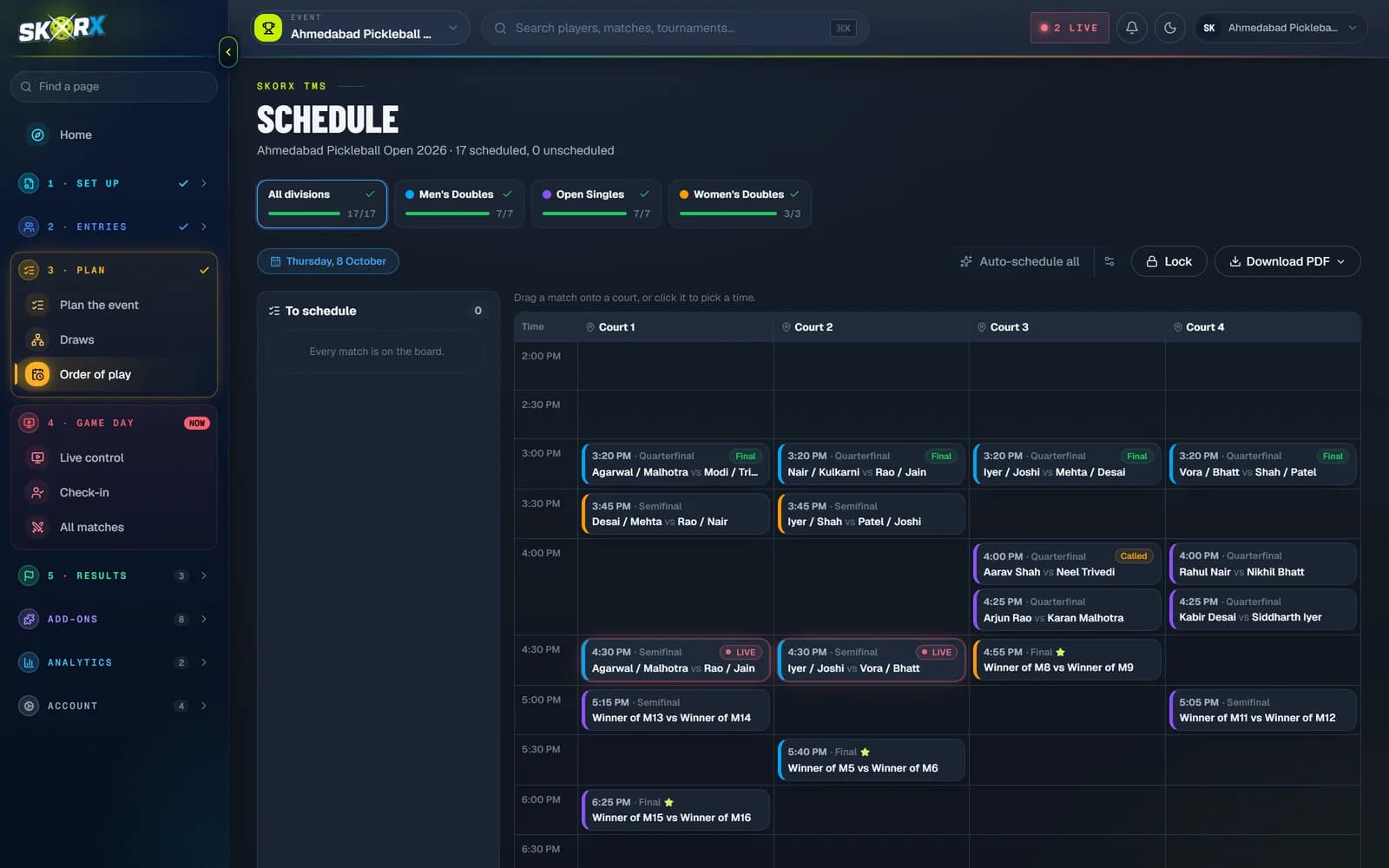
To create a pickleball tournament schedule, estimate how long a match takes, multiply by the number of matches in every division and check the total fits your court-hours with a buffer. Then assign each match a court and start time, schedule matches whose teams are known first, protect rest between a player's matches, never book a player on two courts at once, and publish the schedule.
At a glance
- One game to 11
- About 20 to 25 minutes on court
- Best of three to 11
- About 45 to 60 minutes
- Safe court utilisation
- Below about 85 percent
- Minimum rest
- At least one match slot between a player's matches
- Conflicts SkorX checks
- Court double-booking, player clashes, rest time
Estimate how long a match takes
Everything starts with a realistic match length. Use your own past events if you have them. Otherwise allow roughly 20 to 25 minutes on court for a single game to 11 including warm-up and changeover, and 45 to 60 minutes for a best-of-three match. Games to 15 and 21 take longer, and higher-level play produces longer rallies.
Check your court capacity
Multiply courts by hours to get court-hours, then add up the time every match needs. If demand is above about 80 to 85 percent of capacity, there is no room for delays. Shorten games, change a format or cap a division.
| Item | Value |
|---|---|
| Courts | 8 |
| Hours available | 6 |
| Court-hours | 48 |
| Matches | 96 |
| Average minutes per match | 25 |
| Court-hours needed | 40 |
| Utilisation | 83 percent: tight but workable |
Scheduling rules that prevent problems
- Give every player a minimum rest between matches, usually at least one match slot.
- Never schedule a player in two divisions at overlapping times.
- Schedule matches whose teams are already known first. Knockout matches wait for the matches that feed them.
- Spread each division across several courts so one slow match does not block it.
- Keep feature courts for finals and streamed matches.
- Leave a buffer at the end of each session.
Play in waves
Group matches into waves: blocks that start around the same time. Wave 1 fills every court, then wave 2 takes courts as they free up. Players know roughly when they play without being tied to an exact minute, and the desk can pull matches forward when a court finishes early.
Handling delays on the day
- Call matches as soon as a court is free rather than waiting for the printed time.
- Watch long matches and warn the next teams.
- Shorten games in later rounds if you are seriously behind, and announce it clearly.
- Lock matches that have been announced and reschedule only the rest.
- Update the published schedule every time it changes.
Build a schedule in six steps
Set match length
Pick minutes per match for each division's game format.
Check capacity
Total match minutes against court-hours, with a buffer.
Order the matches
Group stages and first rounds first, later rounds after their feeders.
Assign courts and times
Fill courts in waves, spreading each division across courts.
Resolve conflicts
Fix player clashes and short rest before publishing.
Publish and keep it current
Share the schedule and update it as matches finish.
Frequently asked questions
How long does a pickleball match take?
Allow roughly 20 to 25 minutes on court for one game to 11 and 45 to 60 minutes for a best-of-three match, including warm-up and changeover.
How much rest should players get between matches?
At least one match slot, and more before semifinals and finals. Players entered in more than one division need extra care.
How do I stop a tournament from running late?
Keep planned use below about 85 percent of court time, call matches as soon as courts free up and update the schedule whenever anything changes.
Can tournament software schedule matches automatically?
Yes. SkorX TMS auto-schedules matches across courts and flags clashes and short rest, and you can lock or move any match afterwards.