Tournament Check-In for Pickleball Events
Add-on · Check-In DeskKnow who's here. Before you call it.
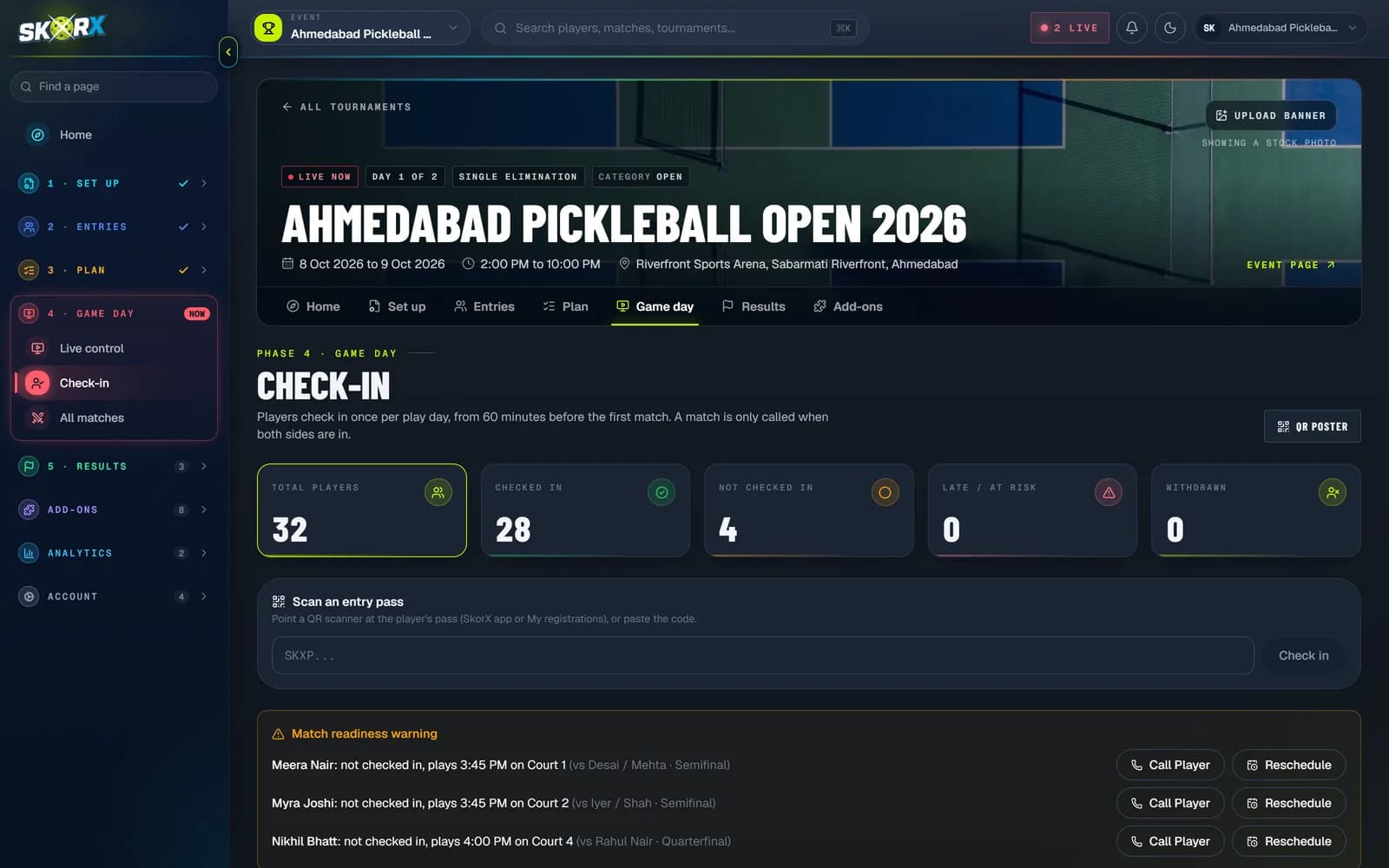
Check players and teams in at the desk and see, for every upcoming match, whether both teams have arrived. Chase missing players early instead of discovering them on court.
01What you get
What you get with Check-In Desk
01
Player and team check-in
Mark players or whole teams as arrived with one tap, searchable by name.
02
Match readiness
Each upcoming match shows whether both sides are checked in, so the desk knows what can be called.
03
Counts by division
See how many players have arrived in each division and who is still missing.
04
Linked to the draw
The desk is built from the actual draws and each team's next match, not a separate spreadsheet.
- 1Open Check-In for your tournament on match day.
- 2Search for arriving players and mark them checked in.
- 3Watch the readiness warnings for upcoming matches.
- 4Call ready matches to court, and chase anyone still missing.
03FAQ
Good questions.
Can a whole team check in together?
Yes. Doubles teams can be checked in as a team or player by player.
Does check-in work with every format?
The desk is derived from the draw, and works across the formats SkorX supports, including groups and brackets.